Instructions on REBS
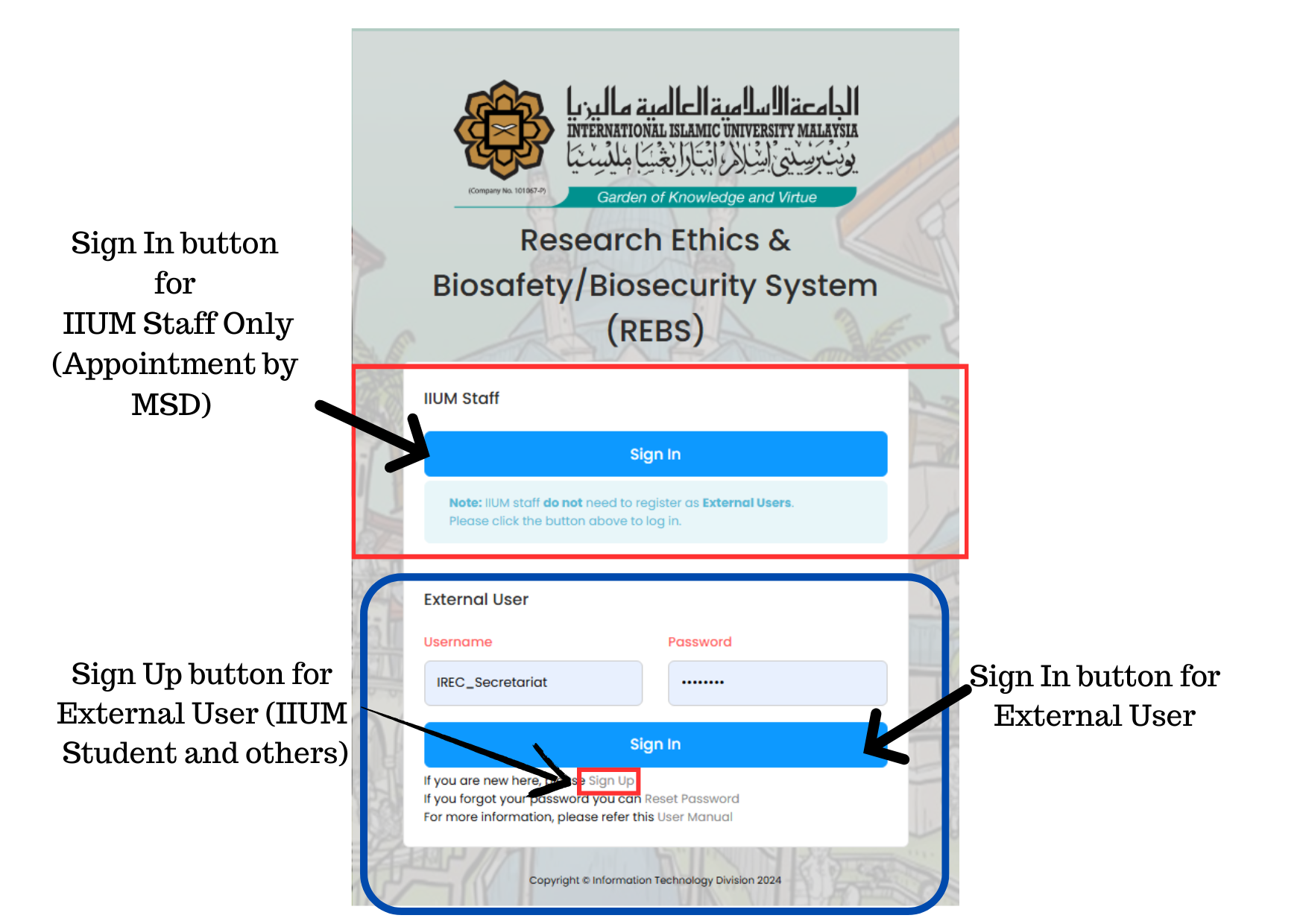
Sign in using IIUM CAS Credential.
If you do not have IIUM CAS Credential, kindly Sign up, verify via your email and Sign in using External user field by entering USERNAME and created Password.
Please email to irec@live.iium.edu.my for technical issue during registration.
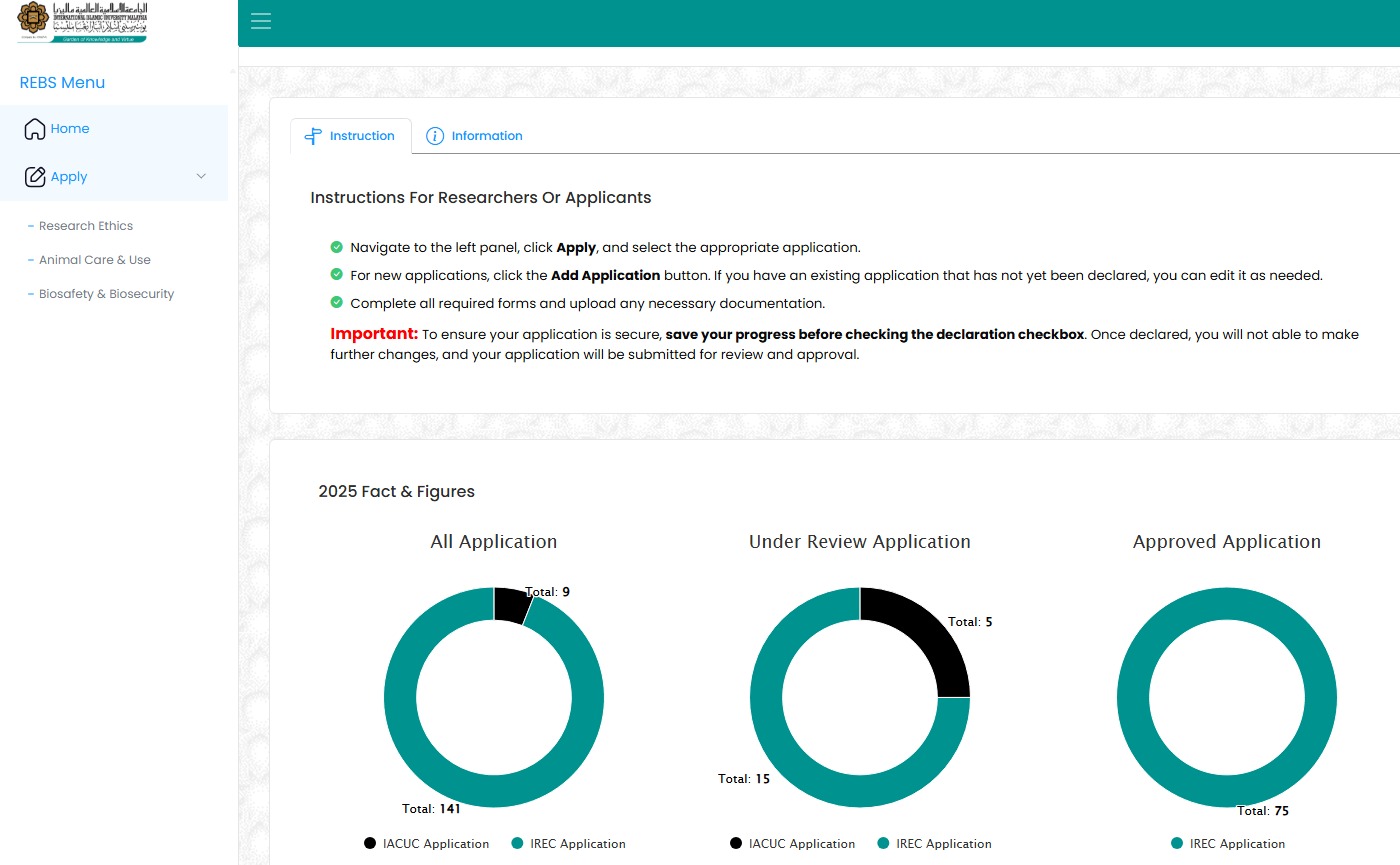
Navigate to Apply > Animal care and use
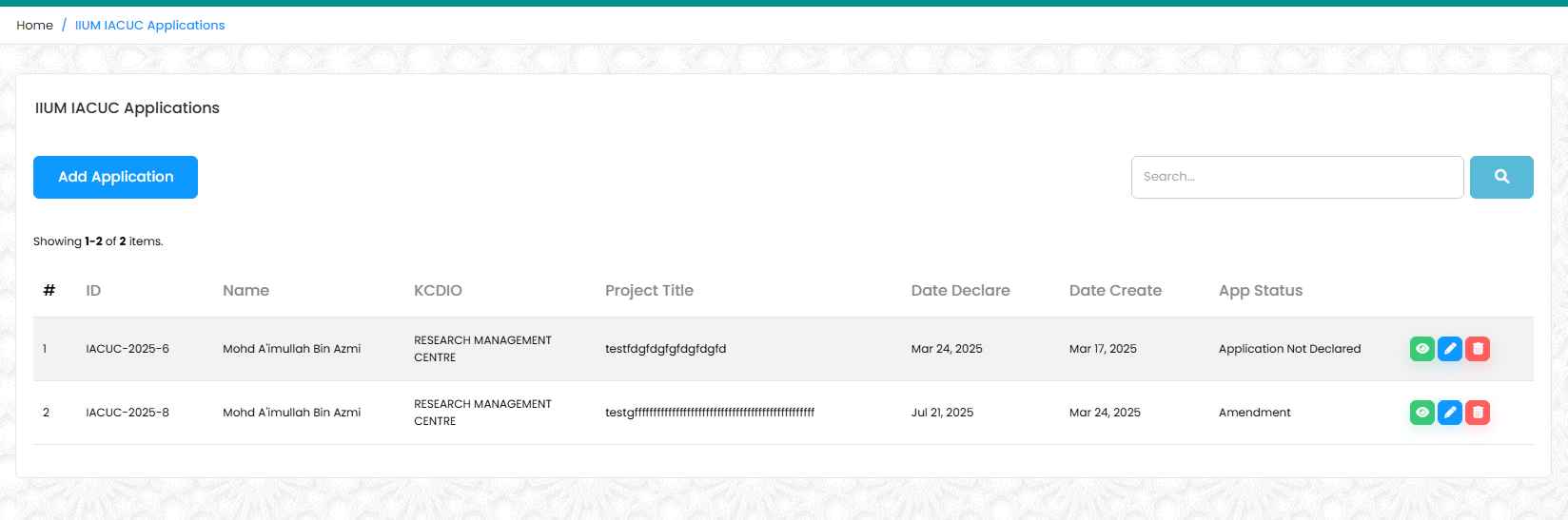
Navigate to Add Application
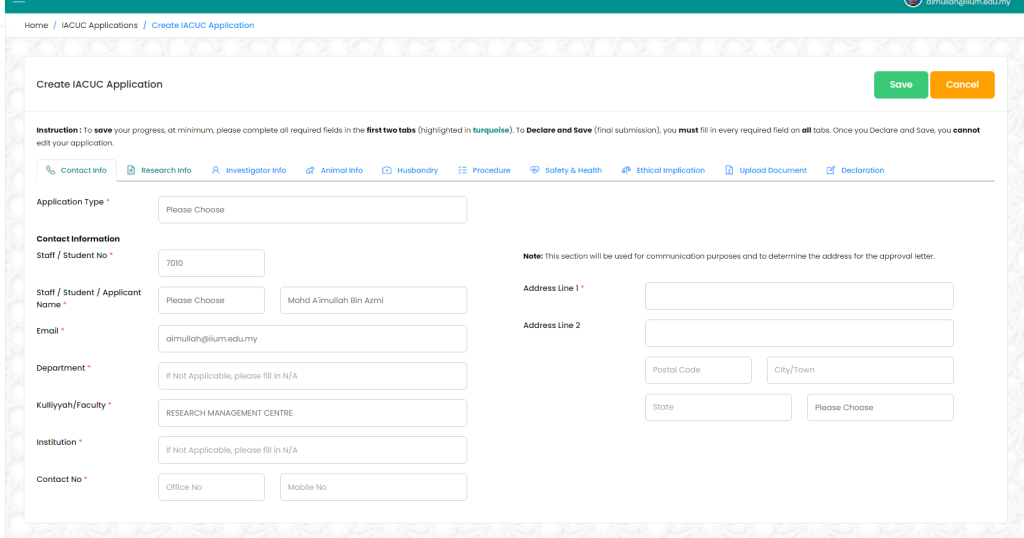
Complete the 1st two tab (Contact Info and Research Info) to enable saving your application to be completed later
You must complete all the required field in all tab to declare and submit your application to IACUC
Please ensure to fill in the same email of the account you use to sign in and your PI’s email in PI’s email field.
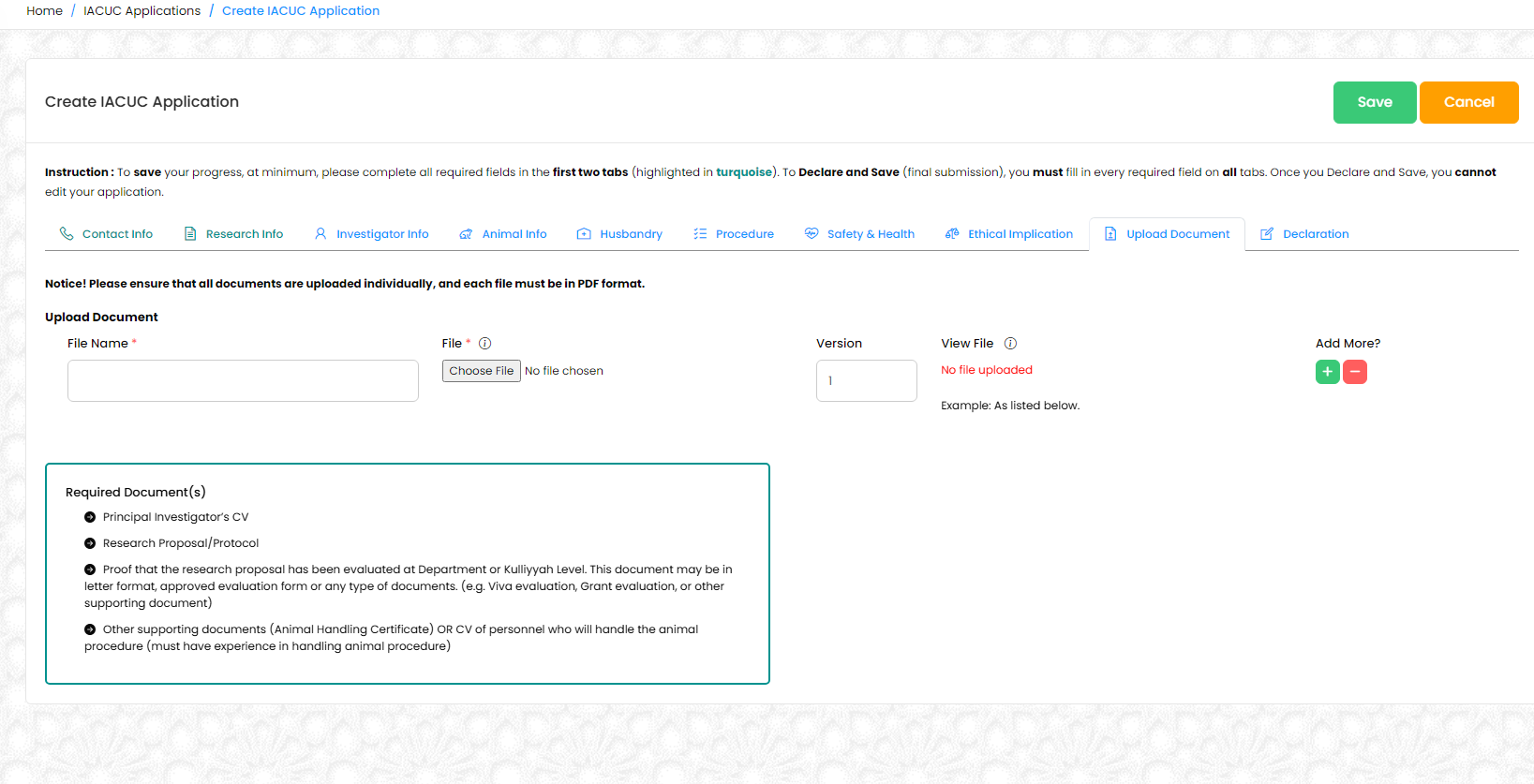
Please upload at least minimum of four(4) basic required document as follows:
- Principal Investigator’s CV
- Research Proposal/Protocol
- Proof that the research proposal has been evaluated at Department or Kulliyyah Level. This document may be in letter format, approved evaluation form or any type of documents. (e.g. Viva evaluation, Grant evaluation, or other supporting document)
- Other supporting documents (Animal Handling Certificate) OR CV of personnel who will handle the animal procedure (must have experience in handling animal procedure)
*Each file to be uploaded must not exceed 10MB and total all file must not exceed 200MB. Do not merge 2 or more documents. Only PDF format is accepted.
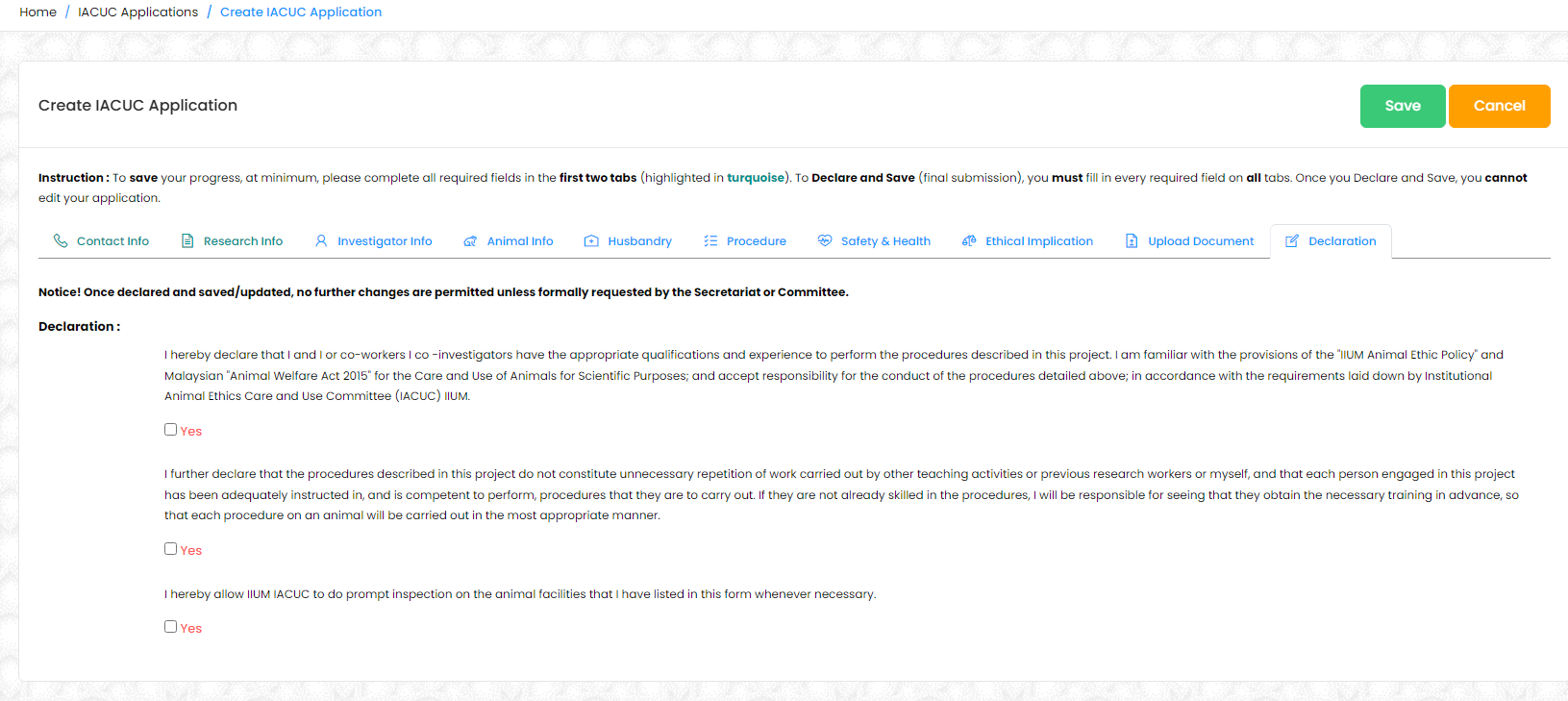
Declare and save to submit your application
Kindly ensure all required fields is completed except for checkbox unless your research involve with stipulated requirement
Anything entered in to system will be transcribed as it is in the approval letter.
You may check your application status by navigating to Apply > Animal care and use